3 Reasons to Update to SMART Notebook 24 for the New School Year
Adam Fragale
Curriculum & PD Specialist
News
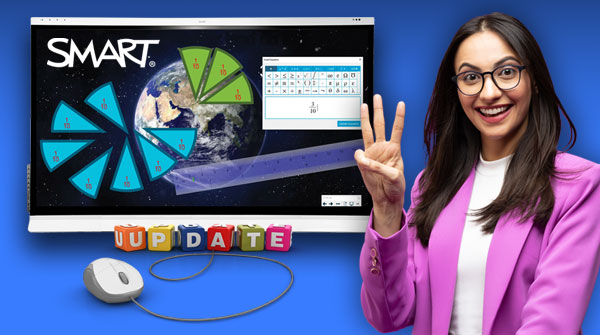
Summer is quickly coming to a close. Let’s make sure we are ready to hit the ground running when your students start walking through those classroom doors. SMART Notebook has recently released the latest update to its software – Version 24. Be sure to check out what’s new and familiarize yourself with these updated features to maximize their interactive uses for your students. Here’s 3 reasons to update to SMART Notebook 24 for the new school year.
1) Improved equation editor
One of the reasons to update to SMART Notebook 24 is the Equation Editor, upgraded just in time for the new school year. It now has many more common geometry expressions to create interactive experiences in the math classroom. Have your students come up to the board to write out mathematical expressions. Then, easily convert them to text! With the upgrade, you also have the ability to create line segments, arcs, and angles, just to name a few. Any of these expressions can be put into the Geogebra widget to instantly create a chart with plotted points.
2) Improved exporting capabilities
With the updated Notebook 24, you can now seamlessly export Notebook files as web page files, PDFs or PowerPoints. When you export a Notebook file to a PowerPoint or PDF, it will match the original content that you’ve created almost perfectly. Prior to the update, you may have come across many formatting issues, which have now been mostly resolved. When exporting as a web page, your Notebook files can be used more easily in programs containing assistive screen readers. Prior to the update, Notebook would export files as individual images. However, now, they will be exported as full .HTML files.
3) More intuitive protractor and ruler tools
Math teachers, you’ve asked and SMART has responded! In this latest update, both the protractor and ruler tools have been updated to improve your lessons and help students. The protractor has added a standard resize handle, making it more assistive. Additionally, you are now able to use the keypad to enter in exact numbers.
The update also features continued improvements to the rotation handles, allowing you to effortlessly move the tool around the screen to create more accurate measurements. The ruler tool now has upgraded rotation capabilities, where it can be grabbed from any corner to be lengthened or shortened. This allows you to take different measurements, draw straight lines, and improve the fluidity of your movement on the screen. You also have the ability to switch from inches to centimeters, and back again, without having to completely rotate the ruler.
SMART’s mission
Technology is constantly changing and improving. As educators, we must embrace these changes in order to keep our curriculum engaging and relevant. SMART Notebook listens to its users and understands how hard they work. SMART Technologies constantly strives to improve their content and features to help make the lives of educators a little bit easier.
If you’d like to dive a little deeper into the SMART Notebook 24 updates, check out the latest course, What’s New With SMART Notebook? Be sure to check out the other courses in the OTIS Course Library for more inspiration!
For more tips, tricks, and tools for teaching in and out of the classroom, check out more content on the Teq Talk blog or our YouTube channels OTIS for educators and Tequipment.
We also offer virtual professional development, training, and support with OTIS for educators. Explore the technology and strategies that spark student success — no matter where teaching or learning are happening!
Follow us on social:
 edteq
edteq  OTIS4educators | Teq Products | iBlocks
  OTIS4educators | MyTeq
  Teq
Teq
0 thoughts on “3 Reasons to Update to SMART Notebook 24 for the New School Year”
Related Articles & Other Recommended Reading

Bridging the Gap to Successful Project-Based Learning with Inspirit
There is no better way to complement your Project-Based Learning (PBL) initiatives than by creating engaging and interactive experiences in virtual reality (VR). VR provides users with a computer-generated simulation of a 3D image or environment that can be interacted with in a seemingly real and physical way. Inspirit offers user-friendly, innovative VR headsets that […]

Teq is Headed to FETC!
Teq is off to the 2026 Future of Education Technology Conference (FETC)! Being held from January 11th to January 14th, 2026, this top-notch event is being hosted at the Orange County Convention Center in Orlando, FL! Demo innovative products, grab some swag, or say hello to the team at booth #2730. Tune in to interactive […]

Introducing the New AI Literacy and Instruction Micro-credential!
The landscape of K-12 education is rapidly evolving, driven by the emergence of Artificial Intelligence. Educators and administrators need more than just introductory knowledge; they need a structured, practical path to mastery. We are excited to announce the launch of the AI Literacy and Instruction Micro-credential Playlist! This comprehensive, seven-session video series is designed specifically […]