Introducing the iRobot Root
Adam Fragale
Curriculum & PD Specialist
Coding
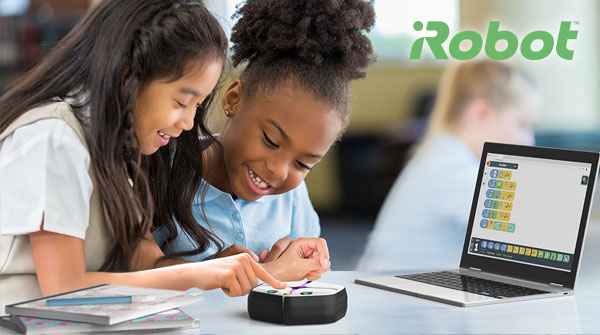
By now, iRobot has become a household name that many people will recognize. Maybe you have one of their products in your house right now, such as the Roomba, the robotic vacuum. With just the push of a button, you can program your Roomba to clean at a specific time. It can map out the room it’s located in to cover the most amount of space. Pretty amazing, right? iRobot had the idea that the technology, concepts, and programming of the Roomba could be beneficial to students.
Why robotics with iRobot?
Having a robot in the classroom can build skills like creativity, teamwork, and problem solving. To get started with this, iRobot began by working with their already existing model, the Roomba. They then removed the vacuum component and added some additional features for students to learn coding and programming. Their initial success led them to develop their next product, the iRobot Root.
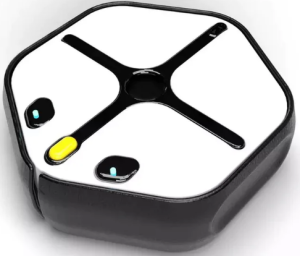
A classroom robot is born – iRobot Root!
iRobot Root is a smaller, mobile robot that will teach students concrete skills such as logic and coding/programming. It can also help students make connections to real world applications. The Root is ideal for new learners of robotics and coding. Along with its 360 degree movement, students will be able to code the Root to light up, play music, and even on any whiteboard surface. The Root is also magnetic and able to climb onto displays hanging in your classrooms!
Coding with the Root robot
One of the most intriguing aspects of Root is the versatility of its coding platform. iRobot Education provides three levels of coding for learners, and is designed to evolve with a student’s skills or experience.
- Level 1 coding is the utilization of graphics allowing students to visualize how their Root is going to move and interact.
- Level 2 coding is known as ‘hybrid coding’, which will combine visuals with “if/and” statements. This is where students can choose the time, degree, and length of Root’s movements and see all of that displayed in their code.
- Level 3 coding is full text coding in which the students will work with real programming languages such as Python.
Another great feature of this platform is that while coding your Root, you can flip between all three levels of coding. This allows you to see what it would look like in hybrid or full-text mode, so students are able to scale up their skills in real time. For an amateur coder, coding the Root in Level 1, then switching to Level 3 to see it in Python, can be helpful for students to visualize the code they wrote.
The coding platform for the Root is extremely user-friendlyand includes tutorials on the robot itself, how to get started with coding, beginner projects, coding challenges, and so much more.
Cross-curricular opportunities with the Root robot
One of the best attributes of the Root is its versatility. If you are looking for a robot that can span multiple grade levels, then look no further than iRobot’s Root. Not only is it perfect for your makerspace or STEM class, but it can also be used in art class as it can hold markers, draw, and create projects. Additionally, if you have LEGO pieces lying around the classroom (because who doesn’t these days), the Root has an available Brick top that can be attached and coded to build LEGO structures.
The Root robot from iRobot is a fantastic and accessible way to bring coding into any classroom. Check out this introductory course on our OTIS platform to get a better look at Root.
For more tips, tricks, and tools for teaching in and out of the classroom, check out more content on the Teq Talk blog or our YouTube channels OTIS for educators and Tequipment.
We also offer virtual professional development, training, and support with OTIS for educators. Explore the technology and strategies that spark student success — no matter where teaching or learning are happening!
Follow us on social:
 edteq
edteq  OTIS4educators | Teq Products | iBlocks
  OTIS4educators | MyTeq
  Teq
Teq
0 thoughts on “Introducing the iRobot Root”
Related Articles & Other Recommended Reading

Bridging the Gap to Successful Project-Based Learning with Inspirit
There is no better way to complement your Project-Based Learning (PBL) initiatives than by creating engaging and interactive experiences in virtual reality (VR). VR provides users with a computer-generated simulation of a 3D image or environment that can be interacted with in a seemingly real and physical way. Inspirit offers user-friendly, innovative VR headsets that […]

Teq is Headed to FETC!
Teq is off to the 2026 Future of Education Technology Conference (FETC)! Being held from January 11th to January 14th, 2026, this top-notch event is being hosted at the Orange County Convention Center in Orlando, FL! Demo innovative products, grab some swag, or say hello to the team at booth #2730. Tune in to interactive […]

Introducing the New AI Literacy and Instruction Micro-credential!
The landscape of K-12 education is rapidly evolving, driven by the emergence of Artificial Intelligence. Educators and administrators need more than just introductory knowledge; they need a structured, practical path to mastery. We are excited to announce the launch of the AI Literacy and Instruction Micro-credential Playlist! This comprehensive, seven-session video series is designed specifically […]