3 Essential Lumio Tools to Kick Off the New School Year
Adam Fragale
Curriculum & PD Specialist
News
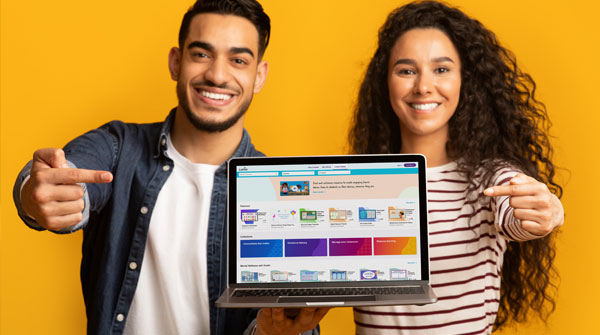
The start of another school year brings a mixed bag of emotions to not only students, but to teachers. This brings up different questions, such as “what will my classes be like this year?”, “what can I improve from last year?”, and “am I prepared to begin this school year?” We cannot predict these things. However, we can control how to improve from the previous year to be prepared for the this one. Lumio’s most recent update has some great tools for the new school year that can help you achieve that. Here’s 3 essential Lumio tools to kick off the new school year.
What is Lumio?
Lumio is a web-based digital learning tool, powered by SMART Technologies. It allows teachers to create and transform lessons into learning experiences. When using Lumio, students and teachers can collaborate on these lessons and interact with each other. It can be used in different circumstances, whether students are working remotely or in the classroom, or even on their own time and devices. If you are looking to improve last year’s lessons for the new school year, you can upload them onto Lumio. Then, utilize their template library to enhance them with customizable games and workspaces. When students become apart of the lesson, they become empowered and are more likely to take ownership of their learning. Let’s take a look at three Lumio must-haves to get your year started right!
1) Canva integration on Lumio
If you are a fan of Canva and its seemingly endless design and communication features, this is for you! You will now be able to access those resources for your presentations directly in Lumio. Combining your Canva creations with game-based activities, formative assessments, and other Lumio resources will create the winning combination for student engagement this school year. In order to do this, first, create your design in Canva. The, once completed, scroll to the app section of your Canva dashboard on the left hand side of the screen and search for Lumio. The app is free to download. Once it is downloaded, it will appear in your dashboard. When you click on the Lumio app, you will be given the option to export your design to Lumio. Your design will be exported as a PDF and can be added to your Lumio lesson.
2) Import and edit your PowerPoint slides in Lumio
Prior to this recent update, if you wanted to add interactive elements to your PowerPoint presentations, you had to convert your uploaded PowerPoint file, then add your interactive element. When doing that, it was highly possible that some of your graphics, layouts, etc. would not convert properly and you would have to go back to redo certain slides. This did not make life easier. Now, within your Lumio library, when you click on the import drop down menu, there is an option to import editable PowerPoint files directly. Add additional graphics and text to your slides as well as interactive slides from the Lumio templates without the hassle of converting the file.
3) Kooth and character building
The beginning of the school year is always such a stressful time of year for students. It is not easy for some students to transition from summer to the school year. Character building is a topic in schools that teachers and administration alike are looking to find solutions for. Lumio has partnered with Kooth, who has created a collection of lessons and templates geared towards mindfulness, kindness, and stress management. These can easily be added to any of your lessons across all disciplines. Start at the beginning of the school year to set expectations and build a culture of kindness in your classroom.
Getting back to the classroom does not have to be hard. Lumio has all the tools necessary to get your lessons geared up and ready to go. Look to inspire your students with these amazing tools and have a great school year. Check out the OTIS platform for courses on Lumio, courses on Canva, and other great resources to prepare for the new school year
For more tips, tricks, and tools for teaching in and out of the classroom, check out more content on the Teq Talk blog or our YouTube channels OTIS for educators and Tequipment.
We also offer virtual professional development, training, and support with OTIS for educators. Explore the technology and strategies that spark student success — no matter where teaching or learning are happening!
Follow us on social:
 edteq
edteq  OTIS4educators | Teq Products | iBlocks
  OTIS4educators | MyTeq
  Teq
Teq
0 thoughts on “3 Essential Lumio Tools to Kick Off the New School Year”
Related Articles & Other Recommended Reading

Bridging the Gap to Successful Project-Based Learning with Inspirit
There is no better way to complement your Project-Based Learning (PBL) initiatives than by creating engaging and interactive experiences in virtual reality (VR). VR provides users with a computer-generated simulation of a 3D image or environment that can be interacted with in a seemingly real and physical way. Inspirit offers user-friendly, innovative VR headsets that […]

Teq is Headed to FETC!
Teq is off to the 2026 Future of Education Technology Conference (FETC)! Being held from January 11th to January 14th, 2026, this top-notch event is being hosted at the Orange County Convention Center in Orlando, FL! Demo innovative products, grab some swag, or say hello to the team at booth #2730. Tune in to interactive […]

Introducing the New AI Literacy and Instruction Micro-credential!
The landscape of K-12 education is rapidly evolving, driven by the emergence of Artificial Intelligence. Educators and administrators need more than just introductory knowledge; they need a structured, practical path to mastery. We are excited to announce the launch of the AI Literacy and Instruction Micro-credential Playlist! This comprehensive, seven-session video series is designed specifically […]