App Development for Beginners with MAD-learn
Kasey Campbell
Copywriter
Coding

In the age of technology, it is difficult to maneuver in the ever-changing digital landscape that we face each day. New advancements in areas like coding, programming, app development, and robotics have contributed to the rise of tech. However, these concepts can be overwhelming for K-12 students and teachers to fully grasp.
Enter MAD-learn, the web-based mobile app development tool that can be used as a stepping stone for not only computer science and STEM in the classroom, but also for various subject-specific assignments. Users can brainstorm, plan, design, build, and eventually launch their own applications, all with MAD-learn’s easy-to-follow platform. Help students become developers with no prior knowledge of coding required!
MAD-learn follows a step-by-step process, known as the design thinking process. This process can help K-12 students to get the most out of their app building experience. The platform is divided into 5 phases: Ideate, Plan, Design, Build, Test, and Launch. Within each of these sections, students can play around with the various features, allowing them to develop vital transferable skills they can use inside and outside of the classroom.
Brainstorm and plan out ideas
Students will begin by creating the premise of their mobile app. It could be an app based on something that they are interested in, a topic they want to know more about, a good or service, a brand, etc. The possibilities are endless! This allows students to think outside the box and explore their creativity while incorporating the use of advanced technology. MAD-learn also allows students to like and comment on each other’s ideas, which is optimal for class interaction and collaboration.
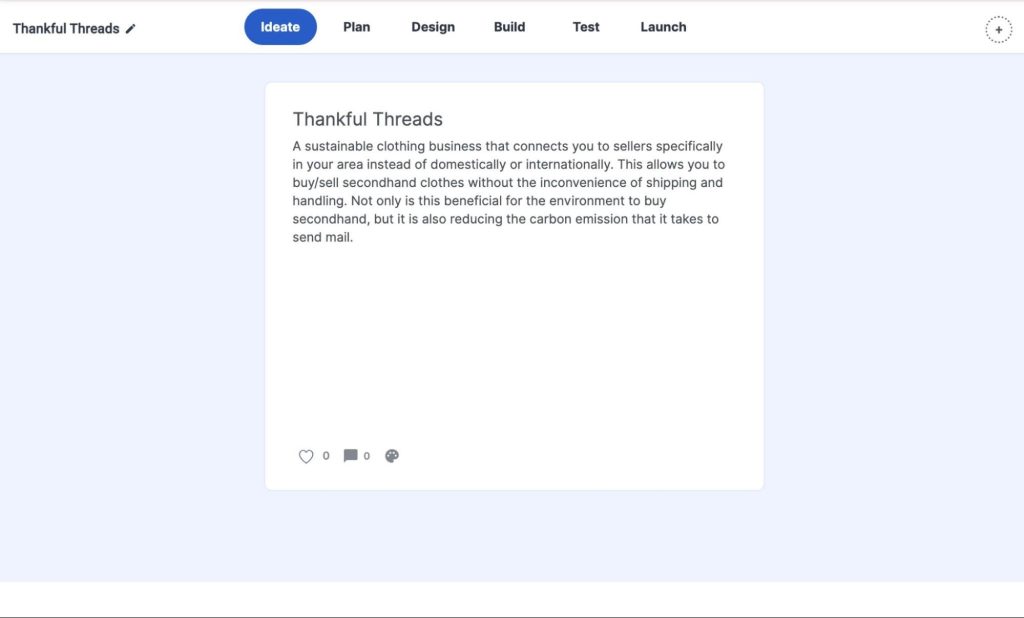
In this example application, I used the Ideate section to create an app for a service that allows users to buy and sell second hand clothing items with those in their area, replacing the need for shipping and handling.
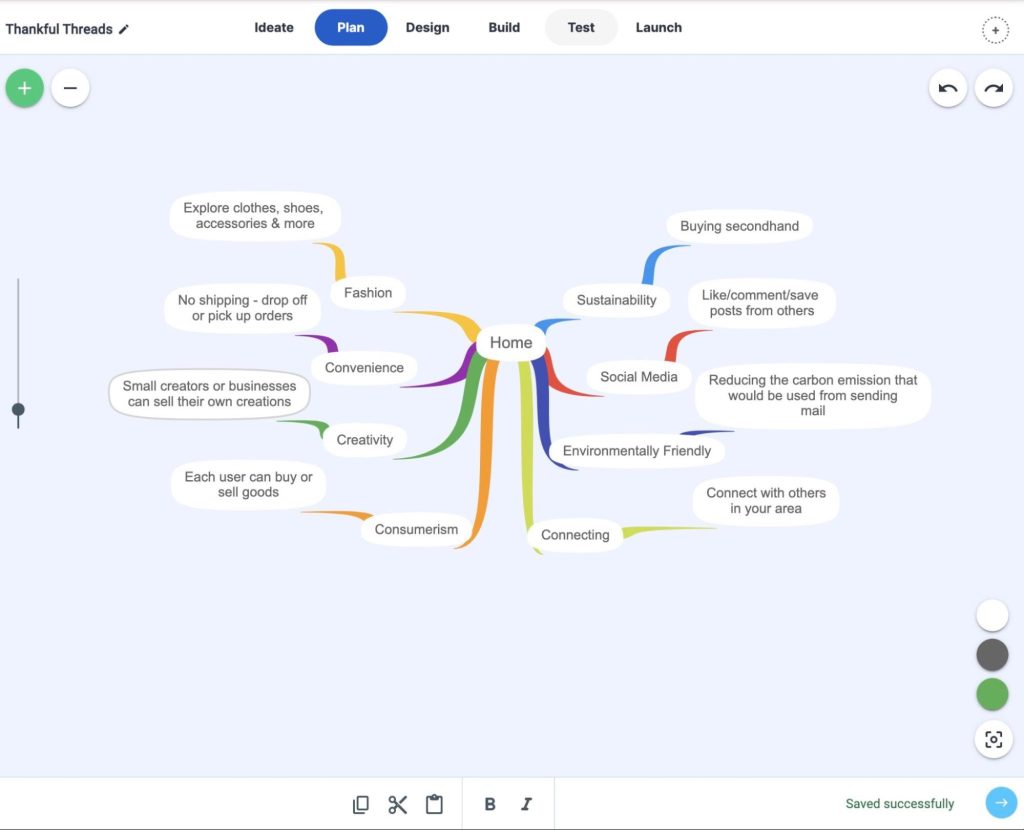
Now that we have our idea solidified, it is time to organize all our thoughts into a mind map. Using the Plan section, students can create a visual representation of all their ideas for their app. This is a great feature because it allows students to expand on their main idea and develop the key concepts and features of their app, taking into consideration how it could be of interest to the general public.
As shown in the mind map below, you can list the key components that you want to include in your app. Then, you can expand upon these concepts and how they would be incorporated when you eventually design, build, and code it. Creating mind maps will help students develop their ideas and will encourage the use of creativity and critical thinking.
Get creative with endless design options
Once your app is planned out, it is time to get designing! MAD-learn has tons of built-in themes and formats that students can choose from. In the Design section, students will focus on the visual aspect of their apps before they get to coding and building.
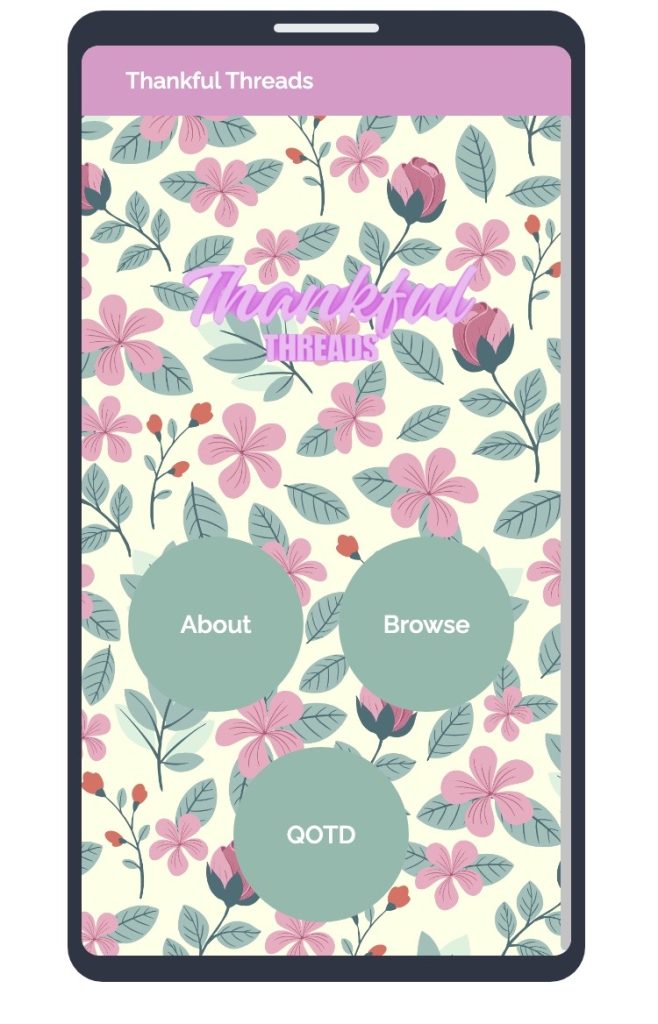
Shown below, you can choose one of the featured themes available on MAD-learn and adjust it to your liking. Students can play around with the design of their app, personalizing features such as the home screen, buttons, and menu. Students can even adjust the shapes and styles of these features. Additionally, students can use secondary apps and sites to aid in the design process. Design and upload your own logo using Canva!
Building and coding your app
In the Build section, you can use a variety of different templates that can make your app interactive. Using MAD-learn’s HCJ Builder, you can combine three different types of coding languages. However, students do not need to know how to code. MAD-learn provides pre-written code templates in their Code Set Library that they can copy and paste into their app’s HCJ Builder. The Code Set Library, which can be accessed in the Build phase, is a Google Drive folder containing tons of different code sets to pick from. Each set contains a mix of HTML, CSS, and JavaScript.
With this, students will gain an introduction to the world of coding, without being overwhelmed by the challenge of writing their own code. Additionally, students who are well versed in coding can add their own code to certain portions of the HCJ Builder, all while using these pre-made templates as a scaffold. Here is an example of one of the pre-made templates used:
Creating app sections
There are so many ready-made templates to choose from. With everything from menus, web-links, animations, photo and video galleries, games, and quizzes, the possibilities are endless. Students can get creative when choosing the different types of screens they want to include in their apps.
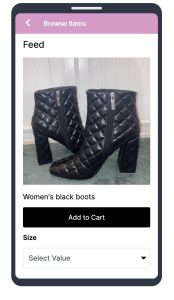
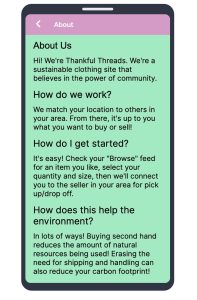
I chose to include features that were relevant to the concept of my example app (shown below). For this, I included an “About Us” section where users can learn more about my app and its purpose. Additionally, I included a “Browse” section where users can shop for different clothing items, select their size, and even add items to their cart to purchase.

Testing and launching the final product
Once students have finished building and designing their apps, it’s time to move on to the Test phase. Here, students can ensure that their app creations adhere to guidelines, give and receive feedback from their peers, and even share their app link with others. MAD-learn provides each user their very own QR code for them to scan and preview what their app will look like on their mobile device. This allows students to test their apps, ensuring that their designs and functions run smoothly and are up to par.
Pictured below is the QR code MAD-learn generated for my app creation. Scan it and see what it looks like on your mobile device!

Finally, it’s time for students to publish their apps with the Launch feature in MAD-learn. Students will have the opportunity to present their apps to their class. To increase the reach of their apps, students will also be able to pitch and market their creations to the general public. Students can even publish them to the MAD-store for a global release!
Building 21st century skills
With their apps published and completed, your students have now become developers! MAD-learn’s step-by-step development process is truly a great solution to incorporate app development into any class or subject, all while building 21st century skills. Whether it’s an app for a character in a book that students are reading, or an app based on a historical period for social studies class, MAD-learn allows for educators to get creative. Transform your assessment practices rather than assigning the traditional essays, book, reports, presentations, etc.
For more information on MAD-learn and how you can get started, check out our course, MAD-learn Basics, available on OTIS for educators. Additionally, check out the MAD-learn Design, Build & Test course for a more in-depth understanding for advanced learners.
For more tips, tricks, and tools for teaching in and out of the classroom, check out more content on the Teq Talk blog or our YouTube channels OTIS for educators and Tequipment.
We also offer virtual professional development, training, and support with OTIS for educators. Explore the technology and strategies that spark student success — no matter where teaching or learning are happening!
Follow us on social:
 edteq
edteq  OTIS4educators | Teq Products | iBlocks
  OTIS4educators | MyTeq
  Teq
Teq
0 thoughts on “App Development for Beginners with MAD-learn”
Related Articles & Other Recommended Reading

Bridging the Gap to Successful Project-Based Learning with Inspirit
There is no better way to complement your Project-Based Learning (PBL) initiatives than by creating engaging and interactive experiences in virtual reality (VR). VR provides users with a computer-generated simulation of a 3D image or environment that can be interacted with in a seemingly real and physical way. Inspirit offers user-friendly, innovative VR headsets that […]

Teq is Headed to FETC!
Teq is off to the 2026 Future of Education Technology Conference (FETC)! Being held from January 11th to January 14th, 2026, this top-notch event is being hosted at the Orange County Convention Center in Orlando, FL! Demo innovative products, grab some swag, or say hello to the team at booth #2730. Tune in to interactive […]

Introducing the New AI Literacy and Instruction Micro-credential!
The landscape of K-12 education is rapidly evolving, driven by the emergence of Artificial Intelligence. Educators and administrators need more than just introductory knowledge; they need a structured, practical path to mastery. We are excited to announce the launch of the AI Literacy and Instruction Micro-credential Playlist! This comprehensive, seven-session video series is designed specifically […]