Get Interactive with BookWidgets
Caylie Gaccione
Curriculum Specialist
Classroom Tools
Gone are the days where our lessons are limited to pencil and paper assignments! As educators, we’re always looking for new ideas to enhance our classroom instruction and engage our students. BookWidgets is the perfect tool for making your lessons interactive. The best part is that BookWidgets is user-friendly for both teachers and students! Create a quick assessment for students, practice vocabulary words with flash cards, spin a wheel to create a silly story, and more! Let’s take a closer look at what BookWidgets has to offer and how to get started with this unique learning tool.
BookWidgets Basics
BookWidgets is an online platform where you can create your own interactive assignments. Create games to motivate students, provide individualized feedback, and even utilize auto-grading features. There is a free trial available as well as paid options, so be sure to check out the pricing page for more information.
Through BookWidgets, teachers can choose from over 40 different types of widgets. Widgets are activities such as exercises, games, tests, math tools, and more. The activities reinforce learning and assess understanding to help students master content. BookWidgets also engages students digitally through different assessment options. Additionally, it allows teachers to give immediate feedback and monitor progress along the way.
Another major benefit of BookWidgets is that there is an integration with several learning management systems (LMS) such as Google Classroom, Microsoft Teams, Schoology, and more. Through all of these time-saving features, it’s no wonder that BookWidgets is a wonderful option for taking your instruction to the next level.
Creating Your Widgets
We know that widgets are a unique and helpful tool; but what are all of the widget options available and how can we create them? Here are some steps to get you started:
- Consider what type of widget you want to create – are you looking to assess your students or perhaps have them play a game to review lesson concepts? Once you determine this, choose from the widget categories below:
-
- Test & Review
- Games
- Pictures & Videos
- Math
- Embed Third Party
- Miscellaneous
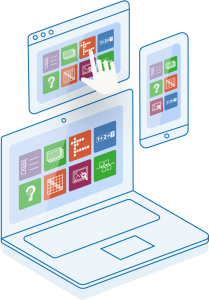
- Once you have decided what you would like to create, you can access widgets from the sidebar/home screen and select “Create a Widget” or click the gear icon to get started.
- Next, choose from the many different widget types. Keep in mind that each one will have a unique creation process. The BookWidgets Tutorials page includes some really helpful visuals and instructions for the large variety of widgets.
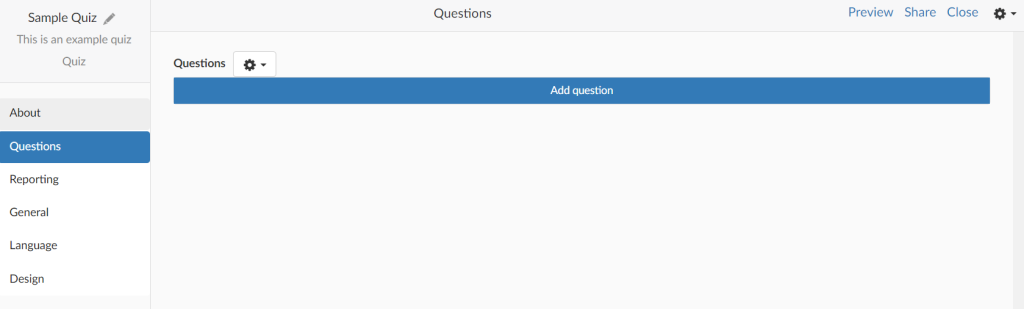
- Enter all relevant information to build out the widget. This will include items such as: about info, text, question types, questions & answers, and images. Remember that you can pre-plan the questions you want to include within your widgets.
-
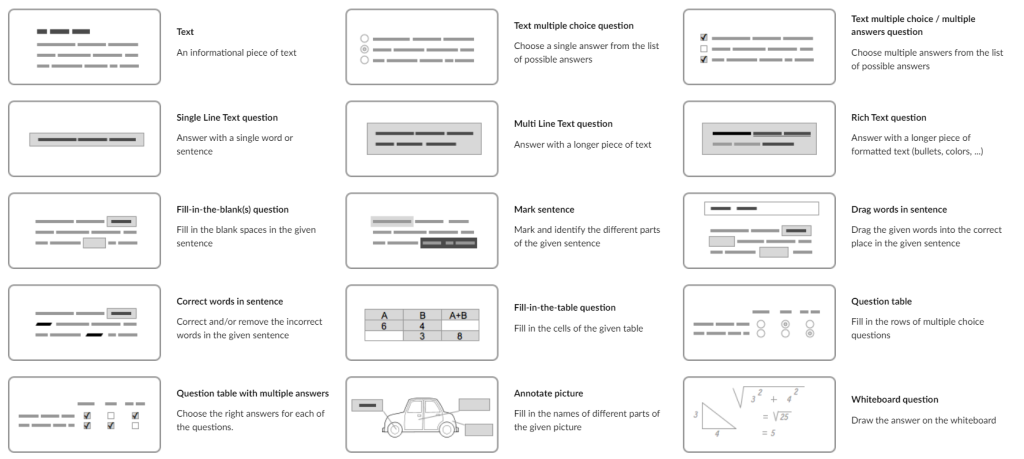
- It is also important to note that for items in the “Test & Review” widget section, there are also many different question types to choose from.
- Preview the widget in student view and test it out to ensure that everything is correct and all items look the way that they should.
- Share the widget with your students by clicking “Share” and choose from sharing options such as generating a link, sharing a QR code, or sharing via LMS.
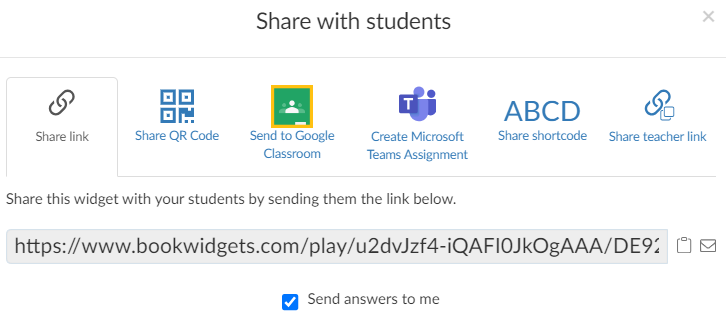
- Then, go to “My Widgets” where you can review, edit, share, and more!
- Finally, you can provide feedback to students to address their strengths and areas of improvement through grading. Access “Grades & Reporting” and select your widget title. You can then view the average score of all submissions and individual scores per question. Be sure to add remarks and comments to questions, then return work to students.
As you can see, BookWidgets has so much to offer! Remember to try out different widget types. Be creative and turn your static content into exciting and interactive online activities for your students. Be sure to check out our accompanying OTIS course, Getting Started with BookWidgets, as well as many other courses in the OTIS Course Library.
For more tips, tricks, and tools for teaching in and out of the classroom, check out more content on the Teq Talk blog or our YouTube channels OTIS for educators and Tequipment.
We also offer virtual professional development, training, and support with OTIS for educators. Explore the technology and strategies that spark student success — no matter where teaching or learning are happening!
Follow us on social:
 edteq
edteq  OTIS4educators | Teq Products | iBlocks
  OTIS4educators | MyTeq
  Teq
Teq
0 thoughts on “Get Interactive with BookWidgets”
Related Articles & Other Recommended Reading

Bridging the Gap to Successful Project-Based Learning with Inspirit
There is no better way to complement your Project-Based Learning (PBL) initiatives than by creating engaging and interactive experiences in virtual reality (VR). VR provides users with a computer-generated simulation of a 3D image or environment that can be interacted with in a seemingly real and physical way. Inspirit offers user-friendly, innovative VR headsets that […]

Teq is Headed to FETC!
Teq is off to the 2026 Future of Education Technology Conference (FETC)! Being held from January 11th to January 14th, 2026, this top-notch event is being hosted at the Orange County Convention Center in Orlando, FL! Demo innovative products, grab some swag, or say hello to the team at booth #2730. Tune in to interactive […]

Introducing the New AI Literacy and Instruction Micro-credential!
The landscape of K-12 education is rapidly evolving, driven by the emergence of Artificial Intelligence. Educators and administrators need more than just introductory knowledge; they need a structured, practical path to mastery. We are excited to announce the launch of the AI Literacy and Instruction Micro-credential Playlist! This comprehensive, seven-session video series is designed specifically […]