5 Strategies for Teaching Web Safety to Students
Caylie Gaccione
Curriculum Specialist
News

Many students are spending more and more time on the internet playing games, using social media, or even completing online assignments. It is crucial that we, as teachers, spend time educating our students on the importance of web safety. When teaching web safety, it’s necessary that we do so in an engaging way to ensure that students make positive choices in online environments. It’s important to note that the strategies that we teach our students for web safety will also translate to their everyday lives. Let’s explore what web safety is all about!
What is web safety?
According to SchoolSafety.gov, “children’s increased online presence, coupled with evolving and emerging digital platforms, can expose them to a range of potential online safety threats and risks.” Web safety is a concept which helps teachers, technology leaders, and parents understand what children and adolescents should know about using technology appropriately. Additionally, these concepts can help prevent online safety threats and risks. Web safety and digital citizenship go hand-in-hand in terms of thinking critically in an online space. They both involve being safe with your information, what you do, and who you connect with.
By acting responsibly in communicating and behaving in the digital world, students are more prepared for the real world. Teaching web safety in the 21st century helps students develop lifelong skills, like how to use technology to solve problems, work as a team online, and identify relevant and appropriate digital information. Now that we know what web safety is, we are ready to take a closer look at some strategies for teaching it to our students.
1) Explore your digital footprint
A digital footprint is anything about you or put out by you online. It is a trail of data you create while using the internet and has the potential to live forever. With this in mind, have students explore their own digital footprints by listing the sites and apps that they use on a daily basis (TikTok, Instagram, Fortnite, etc.). This will emphasize to students that their digital footprint is created by the things they do and place they go on the internet. It will help them to be more aware of what they are doing in an online space. It will also inspire them to make positive choices on the websites that they use and know that it will impact their digital footprint.
2) Lean into social media use
Even at a young age, students are all about using social media. As teachers, it’s necessary that we are familiar with social media ourselves, so we can best support our students. Try leaning into social media and embracing technology to teach students how to properly engage online. You can do this by managing likes, shares, comments, or discussions on the web. Take what students are already doing in their personal lives and bring it into the classroom by creating a class social media page to add engagement to lessons. For example, create a classroom Instagram account where teachers and students can post and share ideas with one another, their families, or a larger audience. This will teach students to be aware of cyberbullying, how to create appropriate content online, and more.
3) Review safe AI practices
In addition to social media, AI is another common thread in day-to-day life. It’s important to teach our students how to stay safe online in a world of AI, rather than avoiding it all together. Here are a few AI best practices to share with your students:
- Avoid sharing personal information. When using AI, information can be stored for several days.
- Always double check the accuracy of information from AI platforms.
- Make sure to not just copy and paste the information that is received. This information should be checked for plagiarism.
- Be aware of suspicious activity and report all inappropriate or questionable experiences.
4) Involve families
What happens when students leave school is just as important as what happens during school hours. In order to reinforce the web safety tips that students learn at school, it’s necessary that parents, guardians, and families are also on board. Here are some ideas to share with students’ families to ensure that they are practicing web safety at home:
- Monitor activity by checking profiles and posts that are made.
- Utilize parental controls (settings, software, extensions) to monitor activity and set limits.
- Review games, apps, social media, etc. before they are downloaded and used.
- Provide children with a list of safe options; this could even be bookmarked websites.
5) Make it fun
Like everything else that we do as teachers, it’s important make sure that what we teach is enjoyable and memorable. You can make creative and game-based web safety activities to ensure that students are gaining the information that they need. Some ideas include:
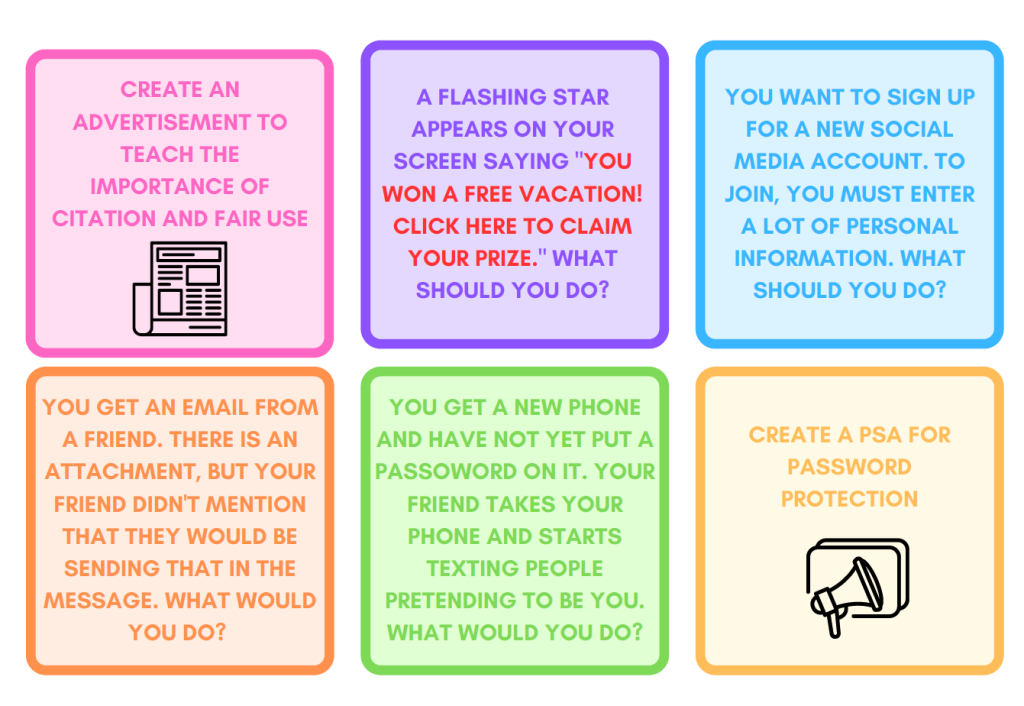
- Task cards to have students act out or respond to different scenarios.
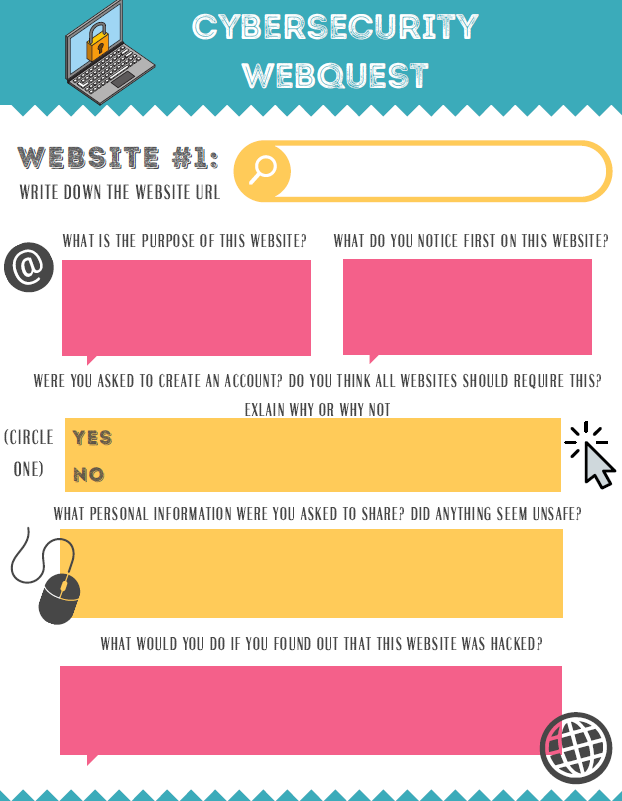
- Webquests as a practical tool for students to learn about web safety and answer questions while exploring online resources.
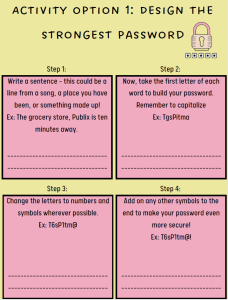
- Have students learn about the importance of creating safe passwords with a fun and interactive worksheet.
Web safety is an ever-evolving topic as social media, AI, and internet use continue to expand. Hopefully, you’ll begin to feel more confident with teaching web safety to your students and support them as they navigate the world wide web! Be sure to check out our accompanying OTIS course, Web Safety for Students, as well as other courses in the OTIS Course Library.
For more tips, tricks, and tools for teaching in and out of the classroom, check out more content on the Teq Talk blog or our YouTube channels OTIS for educators and Tequipment.
We also offer virtual professional development, training, and support with OTIS for educators. Explore the technology and strategies that spark student success — no matter where teaching or learning are happening!
Follow us on social:
 edteq
edteq  OTIS4educators | Teq Products | iBlocks
  OTIS4educators | MyTeq
  Teq
Teq
0 thoughts on “5 Strategies for Teaching Web Safety to Students”
Related Articles & Other Recommended Reading

Bridging the Gap to Successful Project-Based Learning with Inspirit
There is no better way to complement your Project-Based Learning (PBL) initiatives than by creating engaging and interactive experiences in virtual reality (VR). VR provides users with a computer-generated simulation of a 3D image or environment that can be interacted with in a seemingly real and physical way. Inspirit offers user-friendly, innovative VR headsets that […]

Teq is Headed to FETC!
Teq is off to the 2026 Future of Education Technology Conference (FETC)! Being held from January 11th to January 14th, 2026, this top-notch event is being hosted at the Orange County Convention Center in Orlando, FL! Demo innovative products, grab some swag, or say hello to the team at booth #2730. Tune in to interactive […]

Introducing the New AI Literacy and Instruction Micro-credential!
The landscape of K-12 education is rapidly evolving, driven by the emergence of Artificial Intelligence. Educators and administrators need more than just introductory knowledge; they need a structured, practical path to mastery. We are excited to announce the launch of the AI Literacy and Instruction Micro-credential Playlist! This comprehensive, seven-session video series is designed specifically […]